

Email Templates
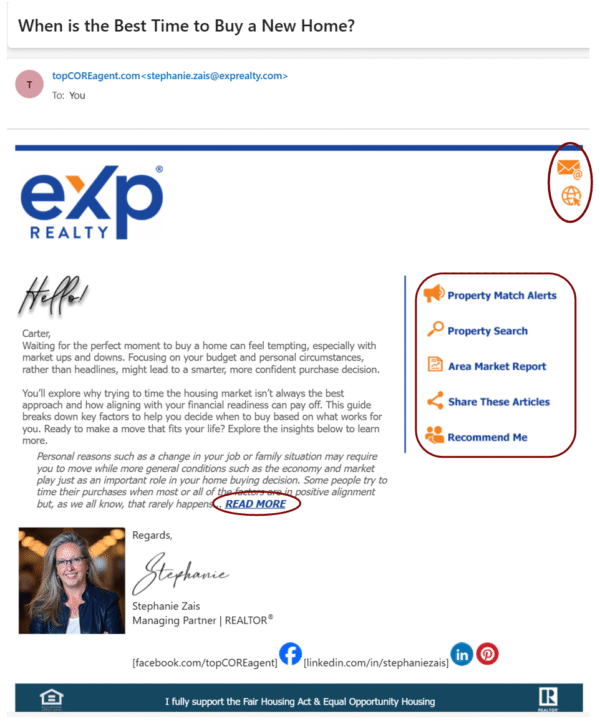
topCOREagent emails use the preferred HTML format for a more professional look. Emails are sent to the primary email address in the contact’s profile. While subject lines and messages will vary, your photo and email signature will display links to your email and website. When there is an article for the contact to read, there will be a short introductory message with a “READ MORE” link to the full article. The call-to-action buttons on the right allow the contact to respond to you or receive instant information.
Sample Email
Personal Photo Appearing in Emails
While many email hosts/providers allow rich-text emails, including photos, graphics, and font variations, there may be an issue with your photo and/or logo in your signature line not appearing to all recipients. This is primarily due to the personal email settings of the recipient or the host on which their email is maintained. MyRealEstateContent.com and topCOREagent.com are not responsible for how these settings are maintained individually and cannot guarantee that your images will always appear in an email.
Call-to-Action Buttons
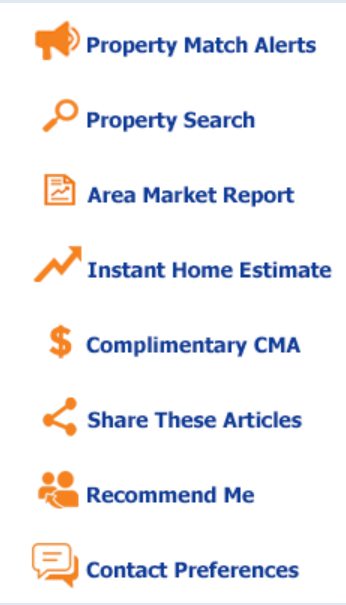
Emails for Buyer, Seller, Sphere/Prospect, and Closed have status-appropriate buttons that allow contacts to select them to obtain data directly from your website, request information for you to provide, or provide information to you, like leaving a review or testimonial, without your having to ask!

Multiple Uses for an Email
topCOREagent emails are used at specific times for the differing stages of a contact’s journey, depending on the subject. In some 3-year campaigns, the same email may be used again in subsequent years. Some emails are relevant for multiple contact statuses. Therefore, an email may have multiple templates to correspond to several campaigns. As a result, do not change or remove a template within a campaign, nor change any links to articles.
Unsubscribe Option
Often, there are unsubscribe options for contacts to use if they prefer to receive only text messages or no longer receive emails. To learn who has unsubscribed or how to rectify it if possible, go to the “Unsubscribe” section in this guide, and also check with your CRM’s support information for instructions.